


PiyoLog: Newborn Baby Tracker
4.9118.00 Reviews
App Specs
- Version
- Varies with Device
- Updated On
- License
- Free
- Downloads
- 1,000,000+
- Developer
- PiyoLog Inc.
- Categories
- Parenting
- Platform
- Android, iOS
Screenshots
 Analysis by AppCompare
With a newborn, the hard part is often remembering what happened a few hours ago: which side a feeding started on, whether that short nap was before or after a diaper change, or what to tell the pediatrician. I find a dedicated tracker useful when it turns those small details into a clear record instead of another thing to hold in my tired head. PiyoLog: Newborn Baby Tracker is built around that practical job, bringing feeding, sleep, diaper, and growth notes together.
When a connection becomes part of the routine
Logging an event feels most valuable when I can do it at the moment it happens, rather than reconstructing the day later. But a baby-care routine does not always happen in a place with reliable service: I might be in a basement bedroom, visiting family, or out for a walk. Since connection can affect whether information syncs between caregivers, I would treat shared records as something to verify rather than assume every new entry has reached another phone instantly.
That distinction matters during handoffs. If one parent records a feed and the other is about to take over, a quick check of the shared view can prevent relying on a record that has not appeared yet. I would also use a short spoken update for anything urgent, instead of treating an app timeline as a real-time alert system. PiyoLog can help keep the household’s notes organized, but the safest routine is one where the caregivers know how they will communicate if a screen is stale or unavailable.
Designed for one-handed, interrupted use
Newborn care rarely leaves both hands free. The strongest use case for a tracker like this is a quick entry between tasks: note a feeding while settling the baby, record a diaper change before washing up, or mark sleep once the baby is safely down. I would keep the logging habit deliberately small. Record the details that will be useful later, and avoid turning every quiet moment into a data-entry session.
For breastfeeding, the last-side detail can be especially helpful when feeds blur together. My practical tip is to record the start promptly, then add an end time or note only if it matters to the routine you and your clinician are following. For growth measurements, I would enter them when they are actually taken rather than relying on memory, and keep clinical records or appointment instructions as the primary reference. A tracker can make information easier to find; it does not decide what a baby needs.
A realistic day might look like this: after a night feed, one caregiver logs the feeding and side, then the next person checks the timeline before taking over. Later, a diaper entry helps make the sequence of events easier to recall, and a sleep note provides context when the family compares the day’s routine. Before an appointment, the caregiver can review recorded growth and activity notes instead of trying to piece them together from messages. The benefit is not perfect data; it is less guesswork during an already demanding day.
What happens when the record is incomplete?
Any tracker depends on people remembering to use it. A missed entry can make a timeline look more certain than it really is, especially if a tired parent fills in details hours later. I would leave an uncertain time approximate in a note rather than inventing precision. If two caregivers log the same event, they should agree on a simple convention for avoiding duplicates; otherwise a shared record can become less useful than a handwritten note.
Worth Reading Before You Choose

Baby Panda World Brings Quick Play to Modern Phones, but Its Game Library Feels Busy

ESPN’s Live Game View Makes Following Close Games Easier

QuizzLand Review: A Good Fit for Short Trivia Breaks, Not Every Player

Basketball Stars: Multiplayer Is Fast, but Can It Recover When Matches Go Wrong?

WEBTOON Turns Phone Updates Into a Better Reading Routine

Link to Windows Runs on Shared Habits, Not Social Feeds
It is also worth testing the household workflow before depending on it. Each caregiver can confirm that they can access the relevant records and understand where to add an entry. If a sync seems delayed, communicate the latest care details directly and check the app again later. This is a modest precaution, but it avoids making connectivity the weak link in a handoff. For a single caregiver, the main recovery habit is simpler: when an entry is missed, add only what you remember and mark uncertainty clearly.
Choosing how much to record
Compared with a paper notebook, PiyoLog offers a more structured way to look back across feeds, sleep, diapers, and growth, while a notebook works without screens and can be shared by leaving it in a familiar spot. Compared with a general notes app or a string of messages, a baby-focused tracker gives each kind of event a more natural place. The trade-off is that a specialized app asks you to maintain its routine and account for how information is shared; the simplest tool is often the one every caregiver will actually use.
I would keep the record focused on decisions and conversations that matter: feeding patterns you are trying to understand, sleep sequences you want to discuss, diaper details relevant to care, and measurements taken at appropriate checkups. There is little value in logging so much that the task becomes another source of pressure. If your household prefers paper, or if you need a clinical monitoring tool with requirements beyond ordinary family tracking, a notebook or a clinician-recommended option may be a better fit.
Getting Started with PiyoLog
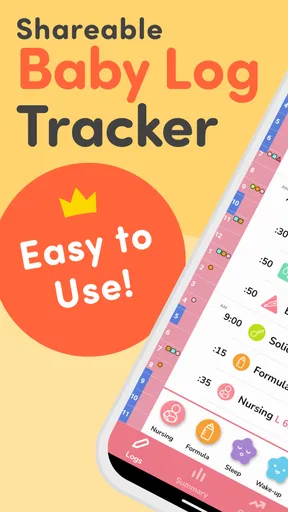
When I first opened PiyoLog: Newborn Baby Tracker, I was greeted by a clean, intuitive interface. No overwhelming buttons or confusing menus. Just straightforward navigation that even a sleep-deprived parent can handle. Setting up the app was a breeze. I simply entered my baby's name, birth date, and voilà! I was ready to start logging every burp and nap.
Main Features
So, what can this app do? In short, a lot. Here's a quick rundown of the features that stood out to me:
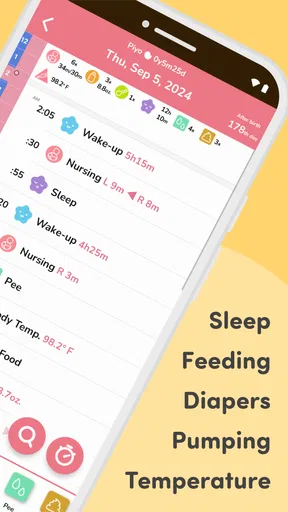
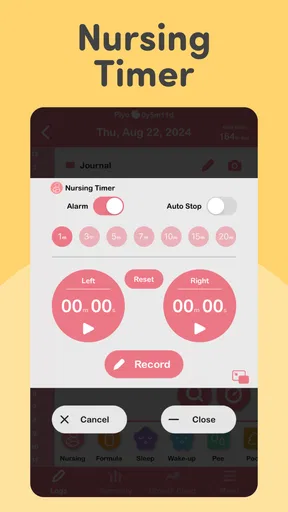
- Feeding Tracker: Whether you're breastfeeding, formula feeding, or a mix of both, PiyoLog lets you log everything. It even tracks which side you last fed from, down to the minute. Perfect for those early days when time is a blur.
- Diaper Tracker: Keeping track of those diaper changes is crucial, and the app makes it a snap. Just a few taps and you're done.
- Sleep Log: Oh, sleep—every new parent's elusive dream. PiyoLog helps you monitor sleep patterns with ease, so you can try to make some sense of those 3 a.m. wake-up calls.
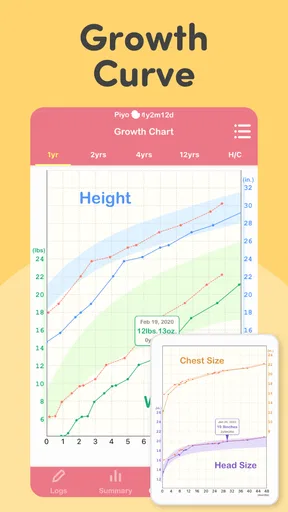
- Growth Tracker: Input your baby's weight, height, and head circumference to keep an eye on their growth. The app even generates growth charts for those pediatrician visits.
The User Experience
One thing I really appreciated was the ability to sync data with my partner. It's a lifesaver when you're running on minimal sleep and need to share baby duties. The app also offers reminders, which is great for ensuring you don't miss a feeding or a diaper change.
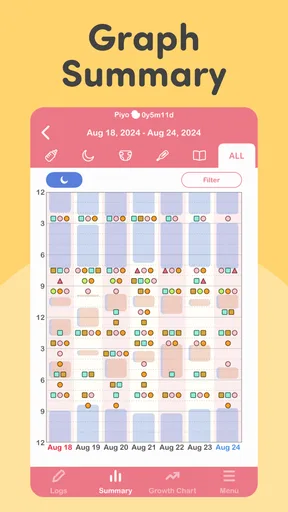
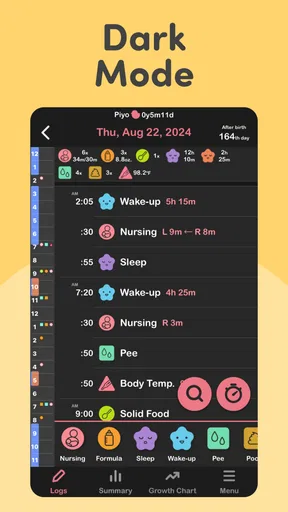
Another feature that stood out is the timeline view. It gives you a comprehensive look at your baby's daily activities, helping you identify patterns and make adjustments. Plus, you can add notes for any memorable moments or concerns.
Who will get the most from it?
I see the clearest value for families who want a shared, organized history but do not want to build their own spreadsheet. The developer, PiyoLog Inc., focuses this parenting app on everyday baby tracking, and its combination of feeds, sleep, diapers, growth, and notes makes it more useful than a single-purpose timer for many households. It is free to start, with in-app purchases listed from $3.49 to $34.99 per item, so I would explore the basic routine before deciding whether any paid option is worthwhile.
The app is also a sensible fit for parents who are preparing for recurring conversations with a pediatrician. A timeline can make it easier to describe what has been happening, while growth charts keep measurements together. I would still bring the clinician’s guidance and any official medical records first; this is a family log, not a diagnostic service. The distinction is important: organized observations can support a conversation, but they cannot tell you whether a symptom is harmless or what treatment to choose.
Useful habits for a shared log
One non-obvious benefit of recording events in a consistent place is that it can reduce repeated questions between caregivers. Rather than sending a message for every feed or nap, the person taking over can review the timeline and ask only about something unusual. To make that work, agree on what counts as a completed entry. For example, one caregiver might log a feed when it starts and add a note if it was interrupted; another might prefer to enter it after the baby is settled. Either approach can work, but consistency makes the history easier to interpret.
Reminders can help with a routine, but I would use them selectively. Too many alerts can add noise at the very moment a parent is trying to focus on the baby. I would reserve reminders for tasks that genuinely benefit from a prompt, then use the timeline for retrospective context rather than expecting it to direct care. This also helps prevent the app from becoming an authority in place of a caregiver’s observation or professional advice.
Privacy-minded, practical use
Baby logs can contain personal family details, so I would be thoughtful about what goes into notes. A short observation relevant to care is usually more useful than a long diary entry containing information no caregiver needs to share. It is also wise to check who can access a shared account and to keep devices protected in the usual way. Those are sensible habits for any family record, especially one used by more than one person.
If you change phones or stop using the app, think ahead about which records you may want to keep for appointments or your own reference. I would not assume that a tracker is the only copy of important health information. Keep essential clinical documents in the place your family normally stores them, and use PiyoLog as a convenient day-to-day companion rather than the sole archive for everything about your baby.
Where it sits among parenting tools
Against the usual alternatives, the main appeal is having baby-specific categories instead of adapting a general notes app. A notebook can be immediate and dependable without navigating a phone, but searching older entries or comparing different types of activity takes more effort. A spreadsheet gives flexible columns and personal control, yet someone has to design and maintain it. PiyoLog is the middle ground I would try first when a family wants a ready-made structure and shared tracking, while a paper log remains a fair choice for anyone who values a screen-free routine more than quick digital review.
There are good reasons to skip it. If tracking makes you anxious, if you only need an occasional reminder, or if every caregiver in the home refuses to use the same app, the extra system may create friction rather than relief. Likewise, parents who need specialized medical monitoring should follow a clinician’s recommendation instead of assuming a general baby tracker covers those needs. The best record is the one that supports care without making ordinary newborn life feel like a performance to document.
Availability and a realistic expectation
PiyoLog has been available since November 1, 2017, and has passed one million installs, with an average rating of 4.8 from around 27,000 ratings. It is rated for Everyone and requires Android 8.0 or later. Those figures suggest that it has found a substantial audience, but they do not guarantee that its workflow will suit every family. I would judge it by a short trial of your own routine: can you enter the details you need quickly, can the other caregiver find them, and does reviewing the history make your day easier?
That trial also answers a practical question parents often have: does a tracker have to capture everything to be useful? In my view, no. Start with the few categories that solve an actual problem—perhaps feeds and sleep, or diapers and growth—and add more only if they help. If you miss entries, do not spend a stressful evening reconstructing every detail. Record what you know, leave the rest uncertain, and return to the routine when life allows. That keeps the record honest and the app in its proper place: a tool, not another standard to meet.
Final Thoughts
If you're a new parent or soon-to-be one, PiyoLog: Newborn Baby Tracker is a game-changer. It takes the guesswork out of newborn care and puts all the information you need right at your fingertips. Honestly, it's like having a personal assistant dedicated to your baby's well-being.
So, if you're feeling overwhelmed by the chaos of parenting, give PiyoLog a try. You might just find yourself feeling a little more in control—and isn't that what we all need sometimes?
Pros
- User-friendly interface for easy tracking.
- Customizable reminders for feeding times.
- Data export feature for sharing with doctors.
- Supports multiple caregiver access.
- Includes comprehensive growth charts.
Cons
- Limited features in the free version.
- No offline mode for data entry.
- Occasional sync issues with cloud.
- User interface could be more modern.
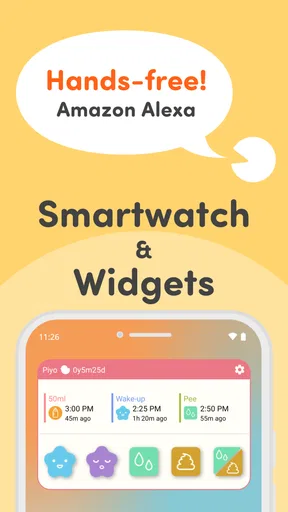
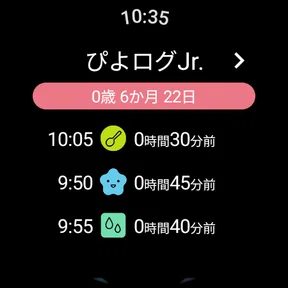
- No support for wearable device integration.
FAQs for PiyoLog: Newborn Baby Tracker
What features does PiyoLog offer for tracking my newborn's activities?
PiyoLog provides a comprehensive suite of features specifically designed for tracking your newborn's daily activities. These include recording feeding times, diaper changes, sleep patterns, and more. The app also allows you to log your baby's growth milestones and health metrics, ensuring you have all the necessary information at your fingertips.
Is PiyoLog available for both Android and iOS devices?
Yes, PiyoLog is available for both Android and iOS users. You can download it from the Google Play Store for Android devices and the Apple App Store for iOS devices. This ensures that parents can easily access and use the app regardless of their preferred smartphone platform.
Can I share my baby's data with other caregivers using PiyoLog?
Absolutely. PiyoLog allows you to share your baby's data seamlessly with other caregivers, family members, or healthcare professionals. This feature ensures everyone involved in your baby's care is on the same page, making it easier to coordinate activities and monitor your baby's health and development.
Is PiyoLog user-friendly for new parents?
Yes, PiyoLog is designed with user-friendliness in mind, catering especially to new parents. The intuitive interface and straightforward navigation make it easy to log and track your baby's activities without any hassle. The app provides guided prompts and tips, ensuring a smooth experience even for first-time users.
Does PiyoLog offer any data security features?
PiyoLog prioritizes the security of your personal data and your baby's information. The app employs encryption and secure data storage practices to protect your information against unauthorized access. Additionally, users can set up password protection for extra security, ensuring your baby's data remains private and secure.


